

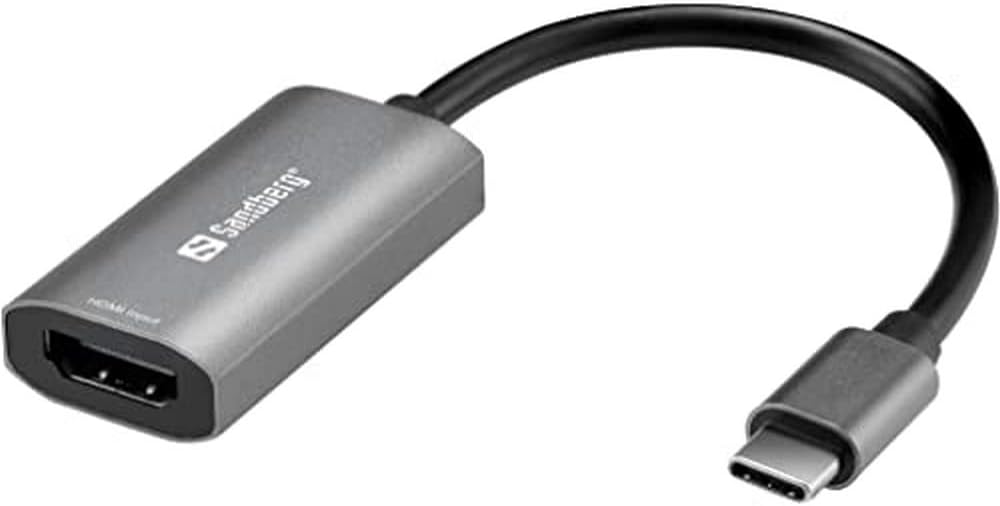
USB 3.0 HDMI Video Capture Card 4K Input 1080P 60FPS Game Capture Device for Streaming, Recording & Broadcasting Compatible with OBS, PS5, PS4, Xbox, Nintendo Switch, Camera, Windows Mac
Product details
| Management number | 234215813 | Release Date | 2026/06/27 | List Price | US$9.60 | Model Number | 234215813 | ||
|---|---|---|---|---|---|---|---|---|---|
| Category | |||||||||
Upgrade your streaming and recording setup with this USB 3.0 HDMI Video Capture Card, designed for gamers, content creators, educators, and professionals. This compact capture device allows you to connect HDMI video sources such as gaming consoles, cameras, or media players directly to your computer for high-quality recording and live streaming. Supporting up to 4K HDMI input and 1080P 60FPS capture, this device delivers smooth video performance suitable for game streaming, tutorials, webinars, and video production. The plug-and-play design makes setup simple—no drivers or additional power supply required. Just connect your HDMI source and start recording through your preferred software like OBS, XSplit, or VLC. With USB 3.0 high-speed transmission, the capture card provides stable performance and minimal latency, helping ensure your broadcasts and recordings remain smooth and reliable. Its compact and portable design makes it ideal for both home studios and mobile setups. Whether you're capturing gameplay from a console, recording a camera feed, or streaming presentations, this capture card provides a versatile solution for high-quality video capture.
- 1080P HD Video Capture Performance Capture HDMI video up to 1080P resolution for recording, live streaming, and broadcasting. Suitable for use with HDMI devices such as PS5, PS4, PS3, Xbox Series X/S, Xbox One, Xbox 360, Nintendo Switch, Wii U, DSLR cameras, camcorders, security cameras, and set-top boxes.
- Plug & Play USB Capture Card Designed for quick setup with no driver installation or external power required. Once connected to your computer, the device is recognized automatically as a webcam, making it easy to start streaming or recording with compatible software.
- Compatible with Windows & Mac OS Works with Windows and Mac computers through high-speed USB 3.0 connection. Supports streaming and recording using common software including OBS Studio, Twitch, YouTube Live, Facebook Live, PotPlayer, and VLC
- HDMI Loop-Out for Real-Time Viewing Includes HDMI loop-out that allows the video signal to pass through to a monitor or TV while recording or streaming, helping users view gameplay or video sources during capture.
- Microphone Input for Live Commentary Features a 3.5mm microphone input for adding voice commentary during gameplay recording or live streaming. Supports standard 3.5mm TRS microphone headsets.
| UPC | 644134729767 |
|---|---|
| ASIN | B0GV1S1WNM |
| Brand | Paradise Bliss Quality |
| Platform | Windows |
| AV Output | HDMI |
| Unit Count | 1.0 Count |
| Manufacturer | Paradise Bliss Quality |
| BuiltIn Media | Audio Video Capture Card |
| Mfr Part Number | MGLHDMI085_6 |
| Antenna Location | Video Recording |
| Operating System | Windows, macOS |
| Compatible Devices | DSLR cameras, camcorders, Windows PC, Mac computers, and HDMI devices, PS5, PS4, PS3, Xbox Series X/S, Xbox One, Xbox 360, Nintendo Switch, media players, DVD players, and set-top |
| Warranty Description | 1 |
| Video Capture Resolution | 1080p |
| Other Special Features of the Product | HDMI Loop-Out for Real-Time Viewing, Microphone Input for Live Commentary |


Bestseller ranking
Internal TV Tuner & Capture Cards


Customers who viewed this product also viewed
White Wall Plates
Correction of product information
If you notice any omissions or errors in the product information on this page, please use the correction request form below.
Correction Request Form